
LowCodeForge product
Simple Doc.
Word and PDF from Salesforce records.
Upload a Word template, map its fields to Salesforce data and generate a Word or PDF file from any record, from a button, a Flow or a batch. The file is saved on the record.
What Simple Doc does
- Start from Word. Upload a .docx. Simple Doc scans it and lists the merge fields it finds.
- Map fields to records. Build an action for an object: choose the template, map each field to a record field or a related record, and set what happens when a value is blank.
- Generate where people work. Run an action from a record page, a quick action, a utility bar item or a Flow screen. The result is a Word or PDF file linked to the record.
- Automate. The Generate Document invocable action works in Flow. Run a group of up to 100 records at a time, up to 10,000 records per run.
- Track every run. The Runs tab lists each document, its status and its file.
Simple Doc in Salesforce
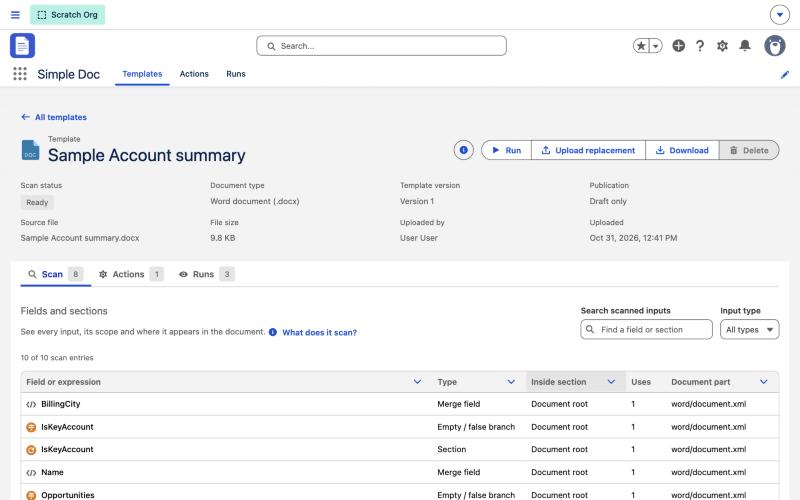
Scan a Word template and see its merge fields 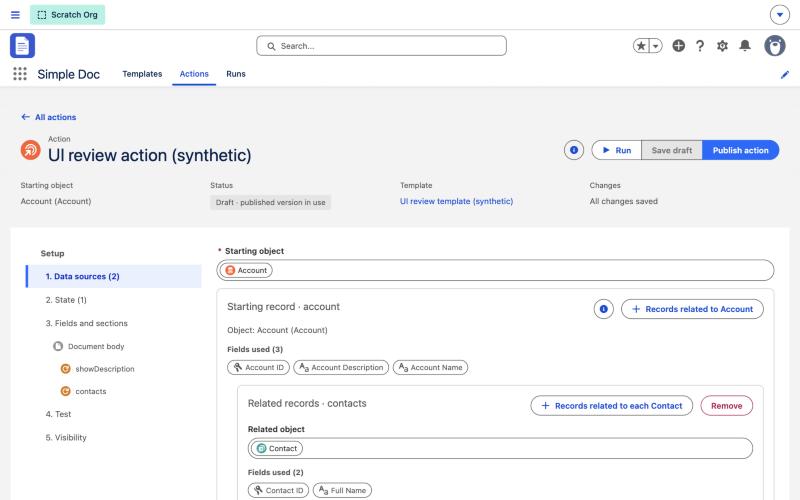
Map template fields to Salesforce data 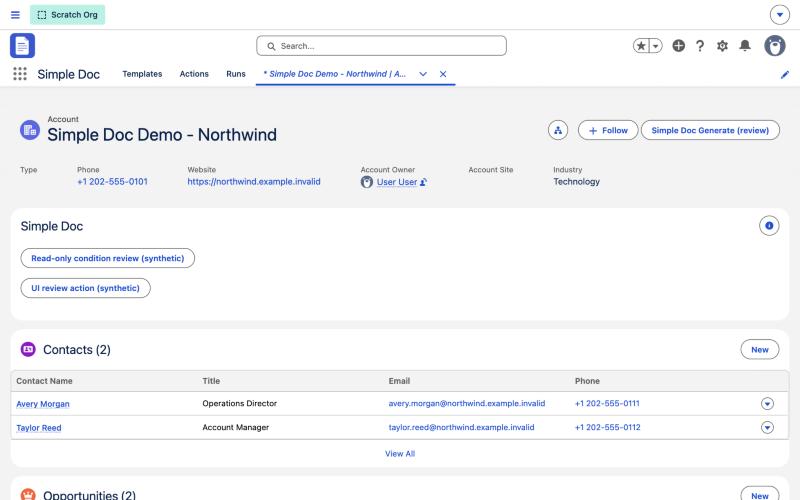
Generate from a record page 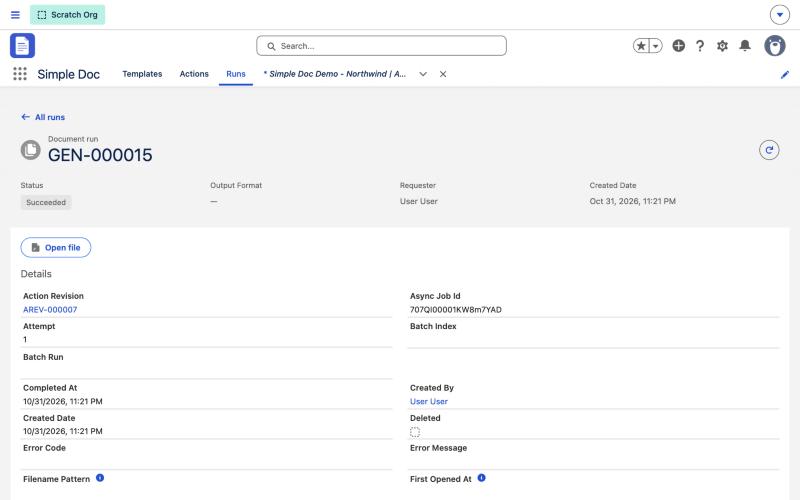
Track every run and its file 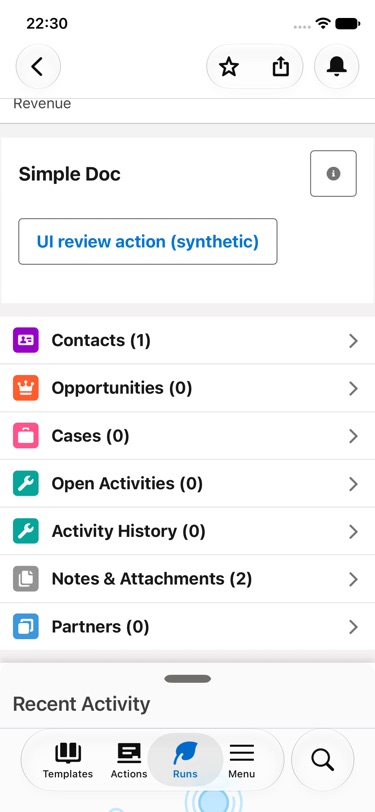
Run documents in the Salesforce mobile app 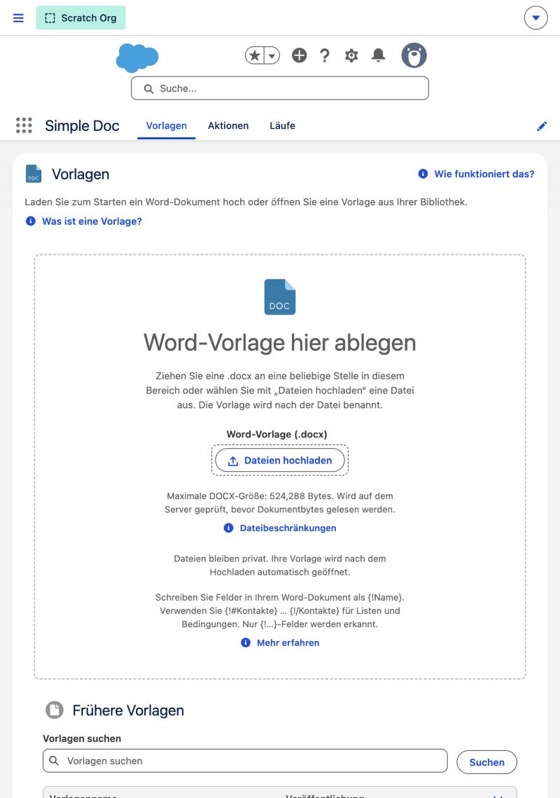
The interface in eight languages
Learn each step in the Simple Doc user guide, then follow the install and setup guide.
What you can do with Simple Doc
Simple Doc covers the whole journey from Word template to finished document. Explore each part:
Your quotes, contracts, letters and summaries already exist in Word. Simple Doc keeps them exactly as they are and teaches Salesforce to fill them in.
Accounts, contacts, opportunities and their related records flow straight into the document. You decide what is shown, in which order, and what happens when something is missing.
No exporting, no copying and pasting, no switching tools. Open the record, choose the document, and the file appears on the record.
When an opportunity closes, a case is resolved or a customer signs up, the right document can be created automatically. Do it for one record or for thousands.
Field teams can create a document from the Salesforce mobile app. External users on your Experience Cloud site can create the documents you choose to release to them.
The whole app, from tab names and buttons to messages and the built-in guide, follows each person’s Salesforce language.
Simple Doc is built for teams where documents matter: clear roles, a safe way to publish changes, and a complete history.
Works with your org
- Multi-currency orgs print each record’s own currency code and amount. Person Accounts are supported.
- The interface is available in English, Dutch, German, French, Spanish, Italian, Japanese and Portuguese (Brazil). Translations other than English are drafts pending native-speaker review.
- Run documents and review runs in the Salesforce mobile app.
- Publishers choose who may run each action: only the owner, internal users, or internal and external (Experience Cloud) users. Guests are always denied.
Compatibility
| Area | Status |
|---|---|
| Enterprise Edition | Verified |
| Developer Edition | Verified |
| Professional Edition | Not supported until the package has passed Salesforce security review |
| Unlimited and Performance Editions | Not yet verified |
| Shield Platform Encryption | Not yet verified; encrypted fields are excluded from field mappings |
| Agentforce | The Generate Document action is usable from Agent Builder; not tested in an Agentforce org |
| Accessibility and dark mode | No WCAG conformance or dark-mode claim |
Verification was done in unpackaged test orgs. Details and limits are in the install guide and release notes.
Your data
Simple Doc runs inside your org. Only while a document is created or a template is scanned, the template and the chosen field values are sent to the LowCodeForge document service in the EU, merged, and returned. The service stores no documents. Read the security summary and the privacy notice.
Questions about Simple Doc
What is Simple Doc?
Simple Doc is a Salesforce app that creates Word and PDF documents from Salesforce records. You upload a Word template, map its merge fields to record data and generate the file from a record page, a quick action, a Flow or a batch.
Which Salesforce editions does Simple Doc support?
Enterprise Edition and Developer Edition are verified. Professional Edition is not supported until the package has passed Salesforce security review. Unlimited and Performance Editions are not yet verified.
Does Simple Doc store my documents?
No. Templates, field values and generated documents exist on the LowCodeForge service only while a request runs. The finished file is saved as a Salesforce File in your org. Both hosts are in the EU.
Can I use Simple Doc in Flow?
Yes. The Generate Document invocable action works in Flow, and it is usable from Agent Builder; it has not been tested in an Agentforce org.
Which languages does the interface support?
English, Dutch, German, French, Spanish, Italian, Japanese and Portuguese (Brazil). Translations other than English are drafts pending native-speaker review.
More answers are in the support page and the security summary.